 Specto
v1.6.0 · Build 137
Dashboard cards & pin window
Movable cards, in-place add and remove, density and Focus, a floating pin across Spaces, volume actions, network quality and adaptive sampling.
CPU, GPU, memory, storage, network, battery and thermals — read live on device across 17 cards you can drag, collapse and pin. Nothing leaves your Mac unless you ask it to.
14-day trial · £14.99 one-off · Universal binary
CPU · RAM · Disk · ↓ ↑ · Battery — live in the strip
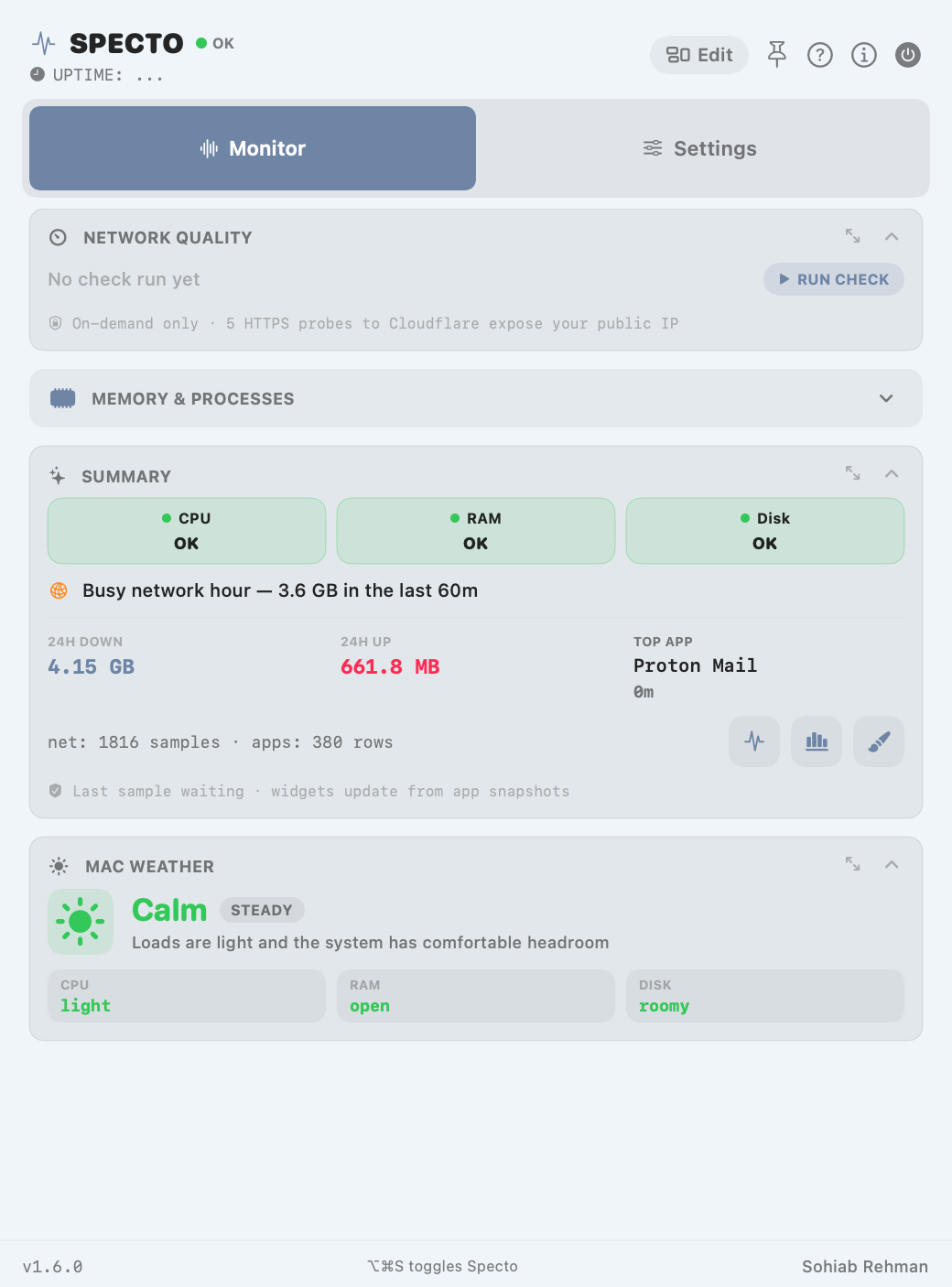

Watch a build eat your cores, spot the runaway process, and see thermals before the fans tell you.
GPU load, disk throughput and scratch-volume space in one glance, per project.
Battery health, cycle count and memory pressure — know what’s actually slowing you down.
Dashboard
Seventeen cards, six on by default. Drag to reorder, collapse what you’re not watching, switch wide or compact density, and promote any external volume to a card of its own.
Per-core CPU load and GPU utilisation, disk read/write throughput, thermal sensors and fan speeds, live wattage draw, top processes with confirmation-gated force quit, and Smart Insights that read the whole picture in a sentence.
Popover mode auto-fits so nothing scrolls; pinned mode enlarges into a window you can park anywhere. ⌥⌘S from anywhere, ⌘1 / ⌘2 switch tabs, Esc closes.
Alerts for high CPU, memory pressure, low disk and low battery — with cooldowns, inline snooze, and one click through to Activity Monitor or Disk Utility.
Adaptive sampling pauses GPU, process and volume work whenever nothing on screen needs it. Widgets read a shared snapshot instead of waking the app.
Menu bar
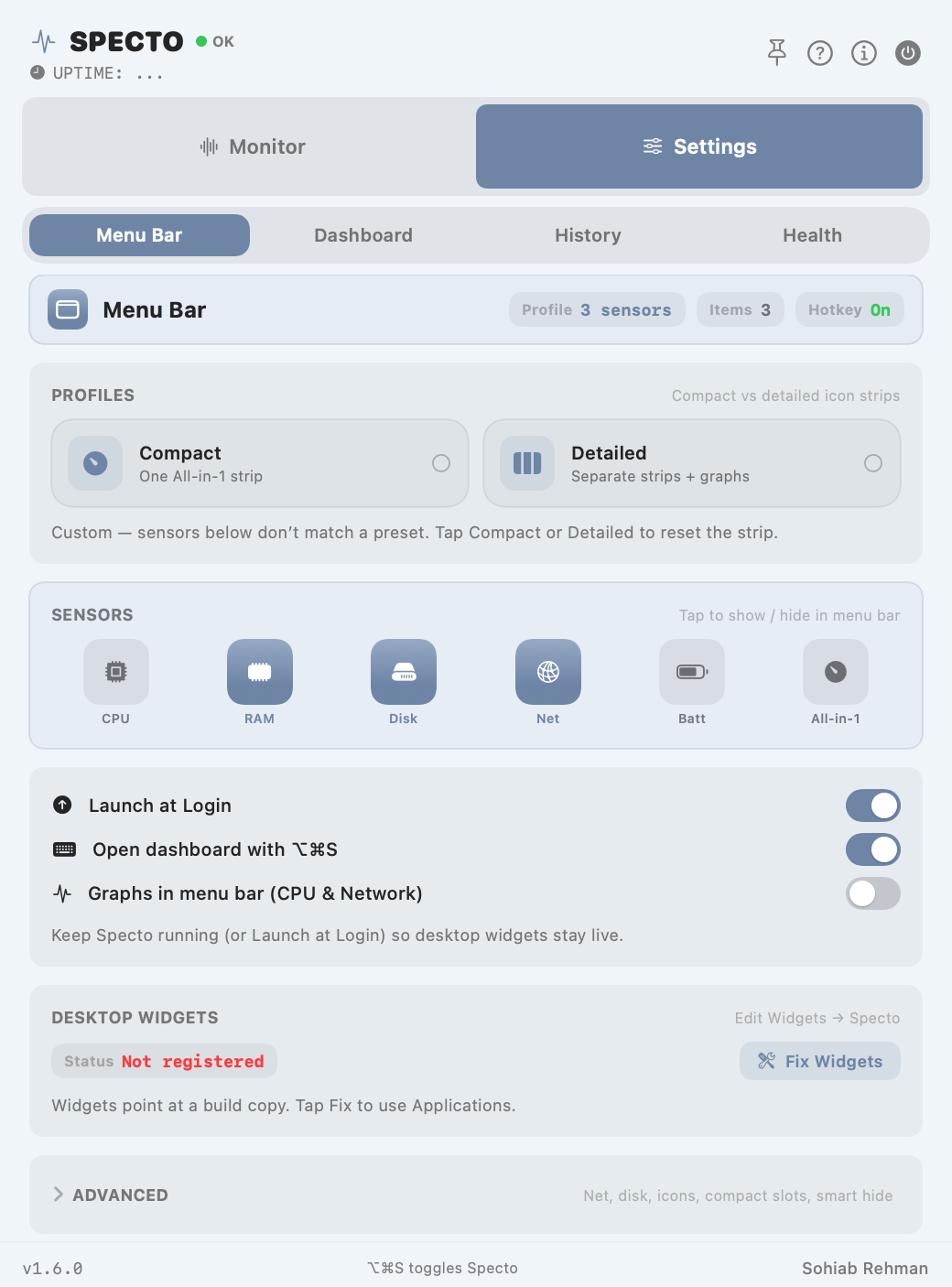
Compact strip, detailed icons or your own profile. Tap sensors to show or hide, reorder what the strip carries, swap any SF Symbol — or replace icons with live sparklines for CPU and network.
Tap to show / hide in menu bar

Setup
Four screens, no account, nothing to configure before it works. Replay the whole thing from Help whenever you want.


Agree to the terms and you’re in — no account, no email.


Quiet, Balanced or Detailed. Every option stays editable.


History and notifications are opt-in, one switch each.


Your profile applies and the strip appears in the menu bar.
Desktop widgets & themes
Native WidgetKit widgets in small, medium and large, for the desktop or Notification Center. They read a shared snapshot in the background, follow your theme, and show a clear paused state when the app isn’t running.
Translucent chrome that follows system light and dark.
Solid deep panels for high-contrast rooms.
History & alerts
Ring-buffer history for network and per-app resources, charts that keep a steady two-minute window whatever your refresh rate, and CSV out when you want to do your own maths.
Network throughput and per-app resource history, kept in a ring buffer and pruned automatically.
Sample buffers adapt to your refresh rate so a chart always shows the same two minutes of history.
Send network and resource history straight to a CSV file for your own analysis.
specto-network-history.csvHigh CPU, memory pressure, low disk and low battery — with cooldowns, inline snooze and one-click quick actions.
Privacy
No accounts. No analytics. No data sold. Optional history is off by default and written only to this Mac.
CPU, memory, volumes, speeds, battery and processes are read on device for display — never uploaded as telemetry.
net_history.json and process_history.json live in ~/Library/Application Support/Specto, hold at most 30 days, and are deleted the moment you turn the toggle off.
Your SSID may appear in Network for display via CoreWLAN. It is never written to history files or sent anywhere; if macOS withholds it, Specto just shows “Wi‑Fi”.
Nothing phones home. Two user-initiated taps only: Public IP via ipapi.co, and Network Quality — five HTTPS probes to Cloudflare.
What can leave your Mac: a Public IP refresh (ipapi.co) and Network Quality — five HTTPS probes to Cloudflare — both only when you start them. Results show in the UI and are not stored as telemetry.
What’s new
Build 137 — July 2026.
Movable cards, in-place add and remove, density and Focus, a floating pin across Spaces, volume actions, network quality and adaptive sampling.
New app icon, Quiet / Balanced / Detailed profiles, contextual notification permission and a compact health header.
Dedicated metric widgets, Glass and Dark themes, Menu Bar / Dashboard / History / Health tabs and searchable Help.
Questions
No. Specto is sandboxed and reads system counters through public macOS APIs. The only permission it may ask for is Location, and only because some macOS versions gate the Wi‑Fi network name behind it.
Apple Silicon and Intel, macOS 14 or later. One universal binary, no separate builds.
Yes. £14.99 buys 1.x outright, on every Mac you own. No renewal, no account.
A 14-day trial runs the full app with nothing held back. No card needed to start.
Anything in the 1.x line is included. A major release would be a separate, optional upgrade.
Open an issue on GitHub, or use the Help window inside the app — it’s searchable and offline.

Specto is in final testing. Start with a 14-day trial, then one payment of £14.99 — every Mac you own, no renewal.
Buy it, keep it. Every Mac you own, all 1.x updates included, no subscription.
Requires macOS 14 or later · Universal · Sandboxed, no telemetry